
How to Search Cases by Name
For Pike Circuit or County Court, begin at the county-linked Circuit Court case-information page. That page leads to Delta's Circuit form. The form lets you search by Party Name, Styled Defendant, Styled Plaintiff, Case Number, filed and final-disposition dates, docket book/page, and file number. Party names go last name first. That field caps out at 40 characters. Name searching pays off best when you already know which court handled the matter.
- Choose the court from the notice, citation, or case papers.
- For a Circuit or County matter, open the county-linked Delta form and select Civil, Criminal, or All only when needed.
- Enter the party in last-first form, then repeat with a caption field if the first search is too broad or misses.
- Use refinements and filing-date range only on name searches, as the form states.
- Open the matching public record and note the court, case number, entry date, and source date.
| Observed field | Use | Form note |
|---|---|---|
| Party Name | General person or entity lookup | Last-first example; 40-character field |
| Styled Defendant / Plaintiff | Caption-direction search | Useful when a party’s role is known |
| Case Number | Exact case lookup | Best first search when available |
| Filed Date / Final Disposition Date | Date narrowing | Do not treat either as a hearing date |
| Case Type | Civil, Criminal, or All filter | Does not explain the case’s full posture |
How to Search by Case Number
Every Pike County case number is the court's own ID for that file. It beats a name search when parties share names or a caption has changed. Copy it exactly. Keep each dash, prefix, and sequence character just as written. Delta's Circuit form displays 07-CV-1234 as a sample. It also caps the Case Number field at 14 characters. Treat that string as one form's illustration. It is not a promise that all Pike County court docket numbers follow the same pattern.
Take the number to the court that issued it. On appeal, a case can pick up a second number at the higher court. So the first one may not be the only one. MEC flag options include County Court Appeal, Justice Court Appeal, Municipal Court Appeal, and LOWER COURT-APPEAL. If a public record says an appeal is still pending, ask the clerk first. Ask which court holds the current docket before assuming anything.
Pike County Case Name Format
The Delta form asks for last name first. That detail is worth copying when you run a Pike County docket search by name. If the first attempt comes back empty, try the displayed format, flip the caption direction, or widen the filing dates. Those refinements only apply to name searches. A Clear button wipes the form fields clean, but it never touches a court record.
Delta reports that its Circuit records go back to 2000. Scanned documents are available from November 2005 to the present. That coverage explains why an older case may appear in the index yet have no image attached. It is not a promise that every case or paper has been scanned. The Delta service also requires a subscription under the vendor's terms. The Pike Delta Circuit search form shows the county's own fields. Those cover name, number, date, and caption.
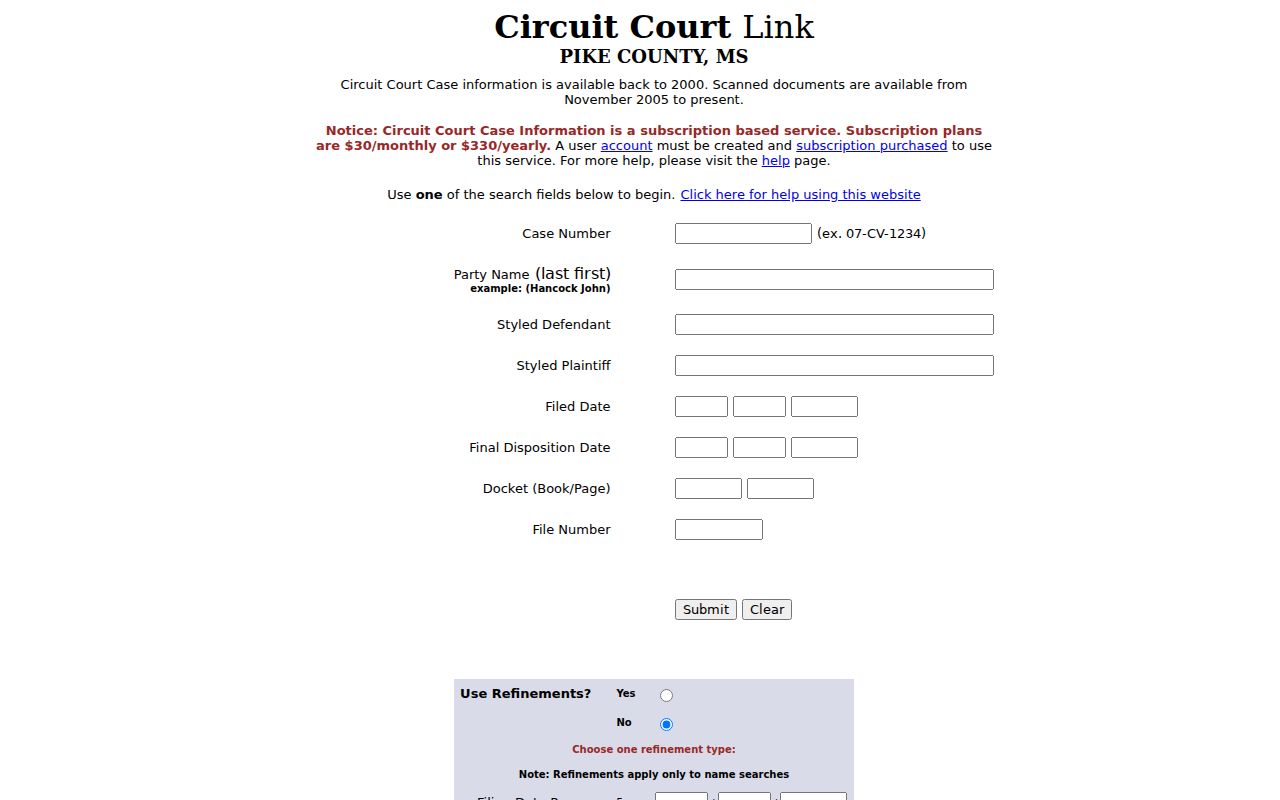
A blank form is the best argument for gathering the court and case number first. A name by itself, as the form makes plain, leaves too much room for error in any Pike County case lookup.
What a Case Search Shows
A public case search can return a lot. Expect the court, case number, caption, filing date, final-disposition date, docket book and page, file number, and dated docket events. That result is a trail, not the whole case file. Check the current event history and document availability. The count of results, a label, or a single date never tells the full story. Read the record itself.
| Court | Identifies the clerk and docket system that control the record. |
|---|---|
| Case number | The preferred identifier for later clerk contact or MEC confirmation. |
| Caption | The styled party names. A caption can change over a case’s life. |
| Docket entry | A dated filing, setting, motion, order, or status notation. |
| Document link | May point to a public filing, but may be unavailable or restricted. |
| Status / disposition field | A workflow or closing indicator that should be checked against the order. |
Write down the URL you searched and the date you opened it. A Pike County court docket can change fast, since later filings, restrictions, or corrections may shift what an online case lookup displays.
Pike County Case Search Systems
Pike County splits its court records across several systems. Delta Circuit works as a county-linked index for Circuit and County Court records. Fourteenth Circuit MEC and PAMEC are the current electronic-court route for Pike Circuit and County matters. For Chancery activity, Twelfth Chancery MEC is the route to use. Delta Chancery stays useful only as a legacy index. Its own page notes that cases are no longer updated there. Justice Court citations, meanwhile, run through a separate nCourt screen. That payment and search tool is keyed to the citation number.
| System | Best question | Important limit |
|---|---|---|
| Delta Circuit | Find a Pike Circuit/County case by number, name, caption, or dates | Subscription-backed; scan coverage is not complete |
| MEC / PAMEC | Check current non-restricted electronic docket or documents | Remote access can require account and charges |
| Delta Chancery | Locate older Chancery index clues | Cases are no longer updated |
| nCourt | Find a Pike Justice citation by citation number | No observed name-search field |
None of these systems substitutes for the clerk. For a certified copy, a question about a restricted document, or a request to see a physical public file, go to the Pike County clerk's office.
Pike County PAMEC Case Access
PAMEC registration sorts users into Attorney, Non-Attorney, and Firm Administrator accounts. For the public, the non-attorney account opens the door to non-restricted electronic documents, docket sheets, and notices. Access runs under the applicable terms. The payment screen lists a $10 annual fee. Pay it by debit, credit, e-check, or mailed check. The service terms also describe page and search charges, including a charge for a search that returns no match. Remote PAMEC access and free courthouse viewing are two different things. MEC Administrative Procedures §7 allows public electronic viewing at the courthouse or clerk's office during regular hours. That viewing stays subject to restriction and copy rules. The PAMEC registration page shows the available account types.
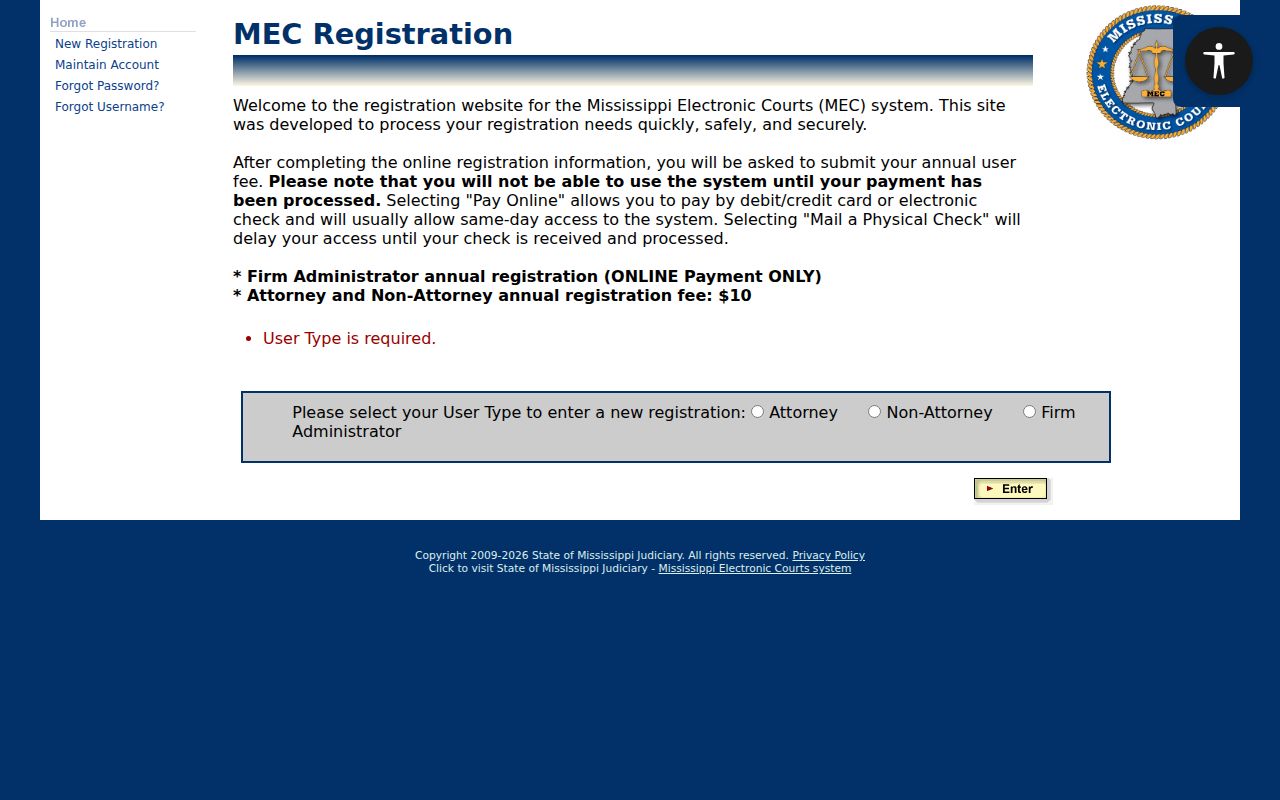
Pike County splits registration into two paths: public remote access or help at the clerk's records counter. PAMEC's published terms cover both the access rules and the charges.
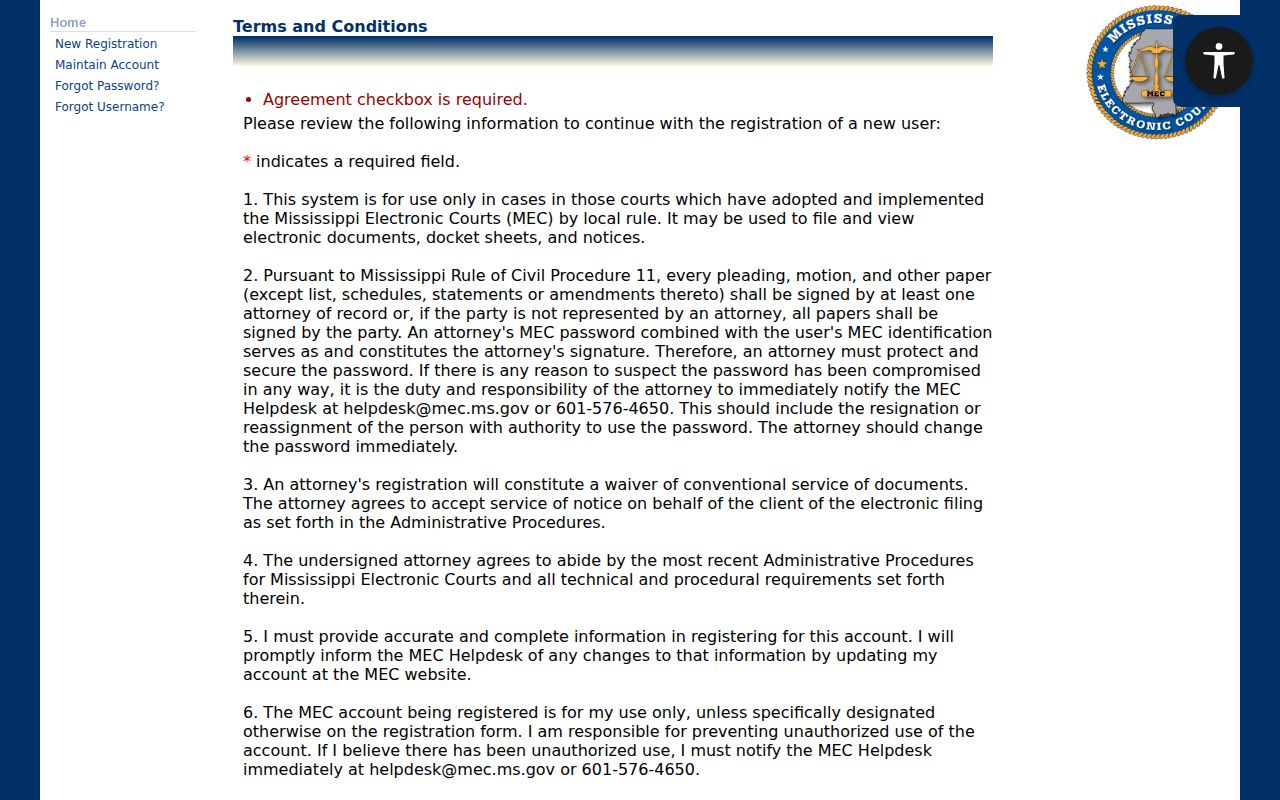
Those terms explain the gap you may notice. A remote docket search carries its own charges and limits, while viewing court records at the courthouse does not. Knowing that up front saves confusion.
County vs Statewide Case Search
Mississippi Electronic Courts is the statewide system. Pike County also has a local Delta search route for Circuit and County cases. Which one you need depends on the court and how old the record is. A current Pike Circuit or County docket search may require MEC confirmation. For Chancery, start with MEC instead of the legacy Delta Chancery page.
Billing differs too. Delta's FAQ states that an account needs a monthly $30 or yearly $330 subscription. PAMEC's payment page lists a $10 annual fee plus charges set out in its terms. Neither is a clerk's certification fee. Both are vendor or remote-access costs. Before subscribing, weigh the record you need. Consider the court, the update status, and the access rules.
PAMEC's payment-method page is the official source for the annual fee and payment routes.
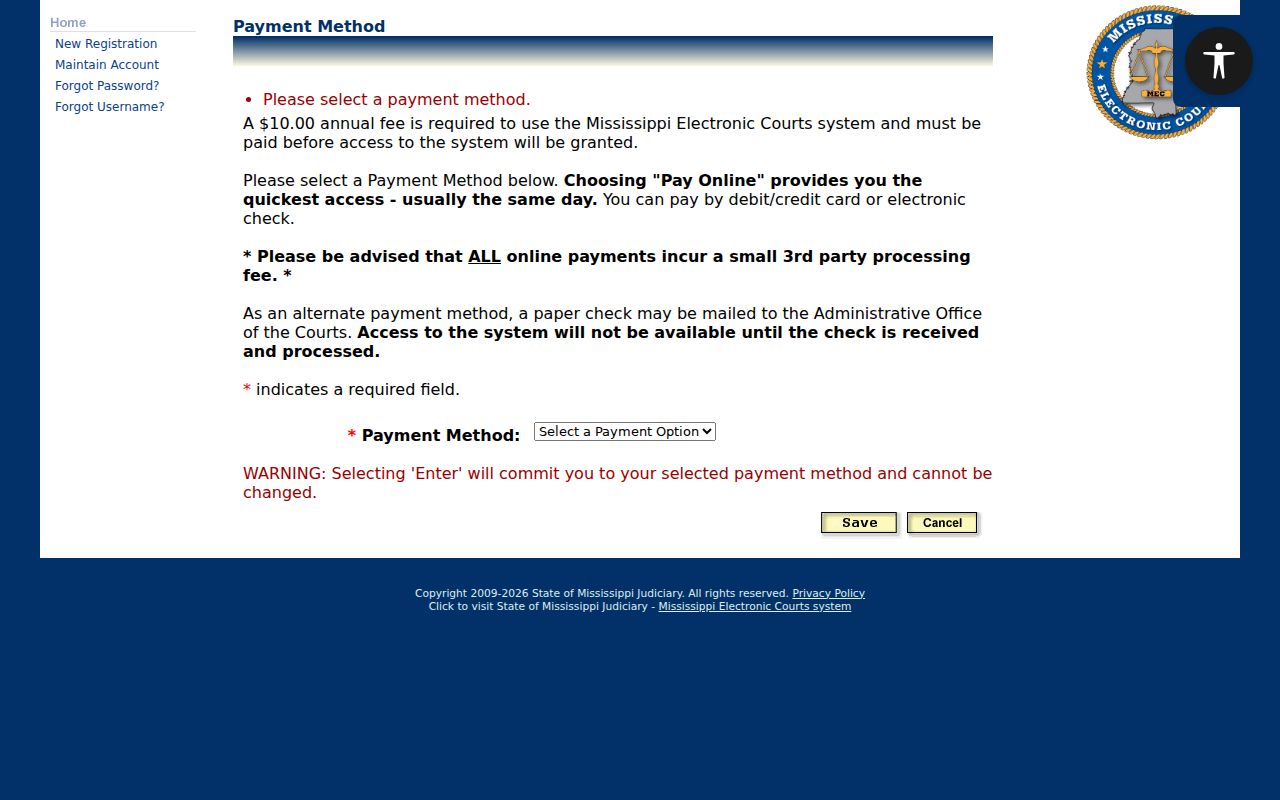
That fee screen also helps you tell PAMEC account access apart from a request for a document copy from a Pike clerk.
Pike County Chancery Search Warning
If the Chancery Delta page says cases are no longer updated, change your route instead of assuming a result is current. Use Twelfth Chancery MEC, or call the Chancery Clerk. The old screen still has value. It can supply a party name, an older case number, the docket book and page, a date, a file number, and a Nature of Action category. It just cannot confirm current activity.
Nature of Action covers local categories like property, domestic relations, estates, guardianship, conservatorship, commitments, adoption, and appeals. Treat it as an index filter, nothing more. Sensitive family, minor, financial, or otherwise restricted documents may stay closed even when a case heading is visible.
Restricted Cases and Access Rules
Some Pike County docket information is public, but access is not universal. MEC login pages warn about limits. Documents can be limited to attorneys of record or unavailable altogether. Pike Youth Court records carry special confidentiality rules. Some labels matter: SEALED, Sealed_Case, EXPUNGED, Minor_Child. They describe an access or record status. They are never a reason to reconstruct hidden material or infer facts beyond a public order.
When a search returns a limited result, keep whatever is lawfully visible. Save the court, the case number, the date, and the message. Then ask the clerk whether public redacted viewing, courthouse access, a certified-copy route, or an authorized request process exists. Keep in mind that Mississippi's Public Records Act and MEC rules do not override a court order or confidentiality law.
Pike County Case Result Checklist
Once a search succeeds, gather the essentials. Note the court, the case number, and the caption. Record the public entry date and text. Note any document number or link shown, the visible status, any next setting, the source URL, and the access date. That builds a careful record without copying sensitive identifiers. It also makes a clerk follow-up more precise if a docket item is unavailable.
The Delta FAQ confirms its account and subscription model for document access and search use.
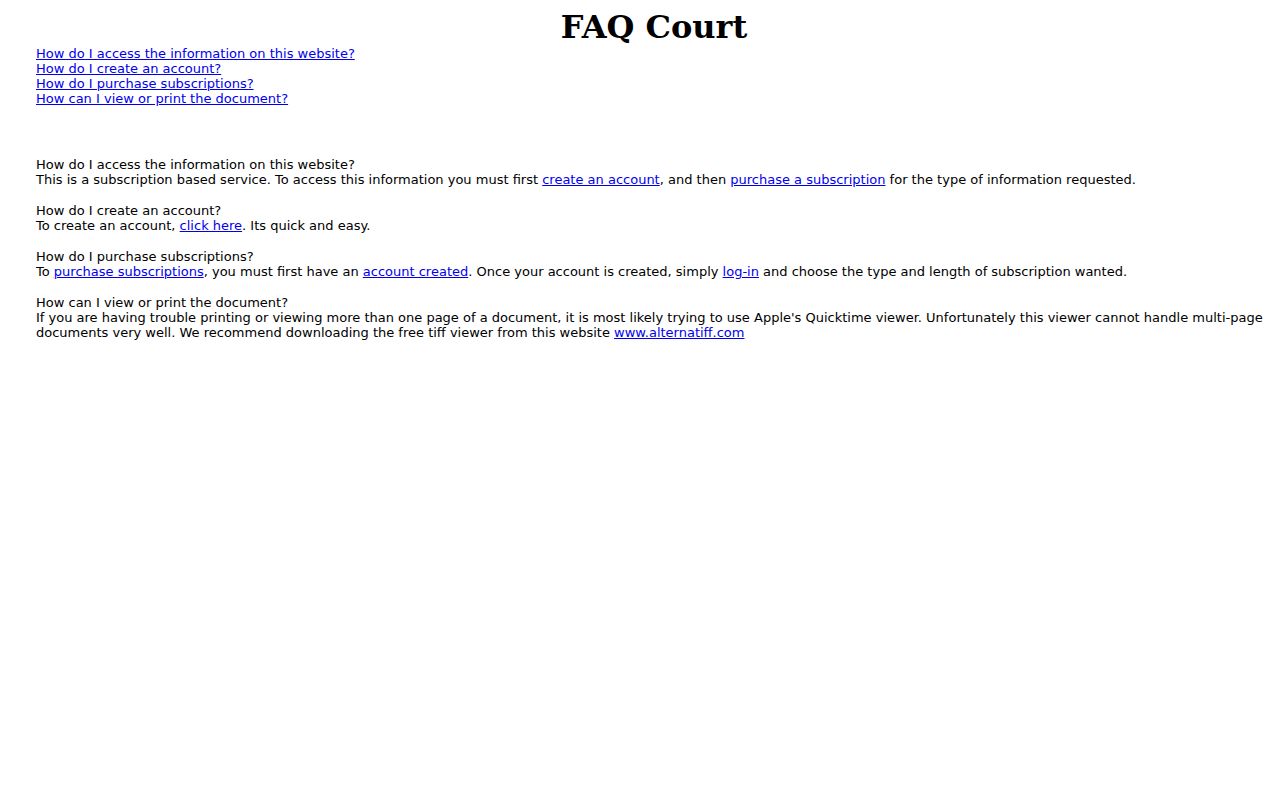
The FAQ also underscores a key distinction. An online case index, a document image, and a clerk-certified record are three separate forms of access. The county wrapper offers another useful routing screen for Pike Circuit case information.
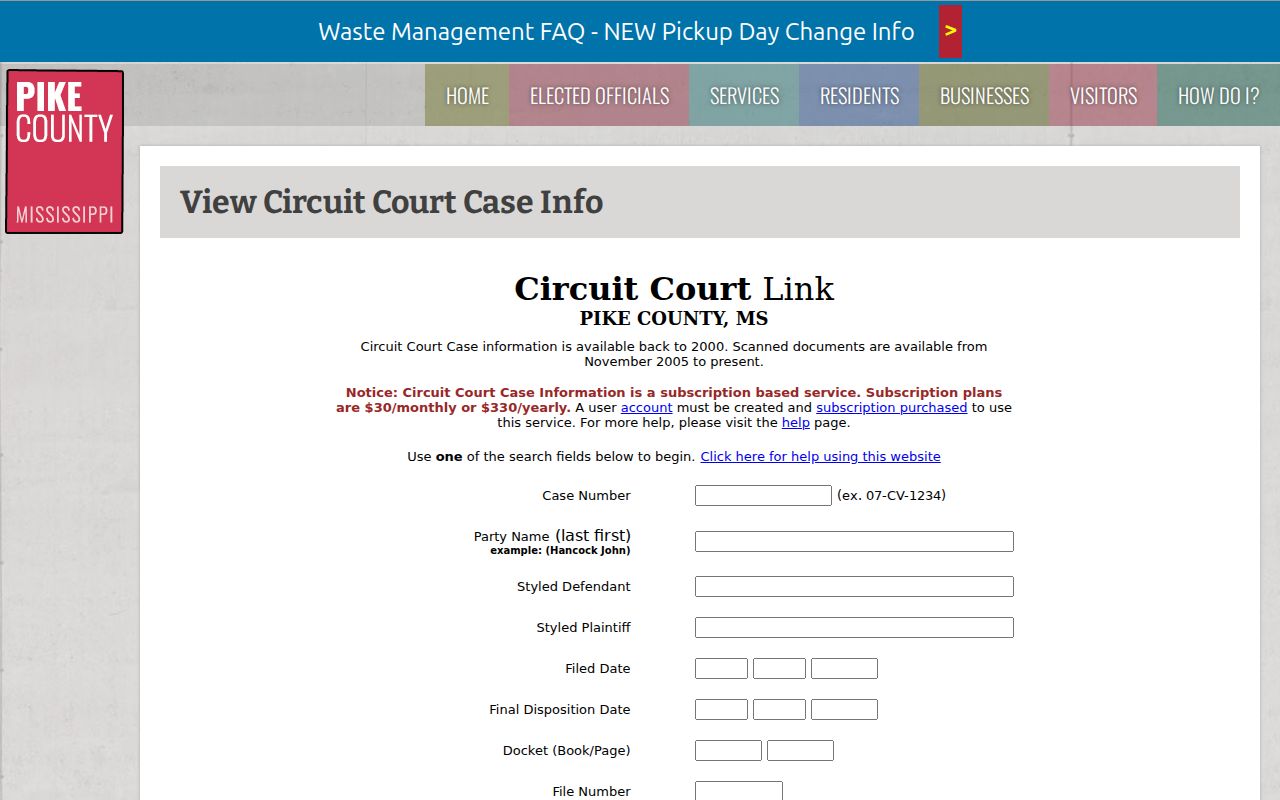
The wrapper keeps the local Circuit search route separate from Chancery MEC and Justice Court citation access. For Pike County cases, always keep the court designation with the case number. That way a later clerk or MEC inquiry lands on the correct public index.